On this page (22)
- What OpenAI launched on 10 November
- What works in India right now
- How to claim your business in ChatGPT: the steps we followed
- Step 1: Search for your business
- Step 2: Add your website
- Step 3: Verify your domain with a DNS TXT record
- Step 4: Choose a category and describe your business
- Step 5: Add your contact details
- Step 6: Confirm your phone number
- Step 7: Your profile is created as a draft
- Step 8: Verify your identity
- What the ChatGPT Business Hub dashboard shows and what it doesn’t
- What to do this week
- FAQ
- Can Indian businesses use ChatGPT Business Hub?
- Is ChatGPT Business Hub free?
- Do I need a website?
- How long does it take?
- Will claiming my business make ChatGPT recommend it more?
- Can I see what people asked ChatGPT about my business?
- Is Business Hub the same as ChatGPT Business?
- Get your business ready for ChatGPT
If someone in Patna asks ChatGPT to suggest a digital marketing agency, does your business come up? Until this week, nobody could tell you for sure.
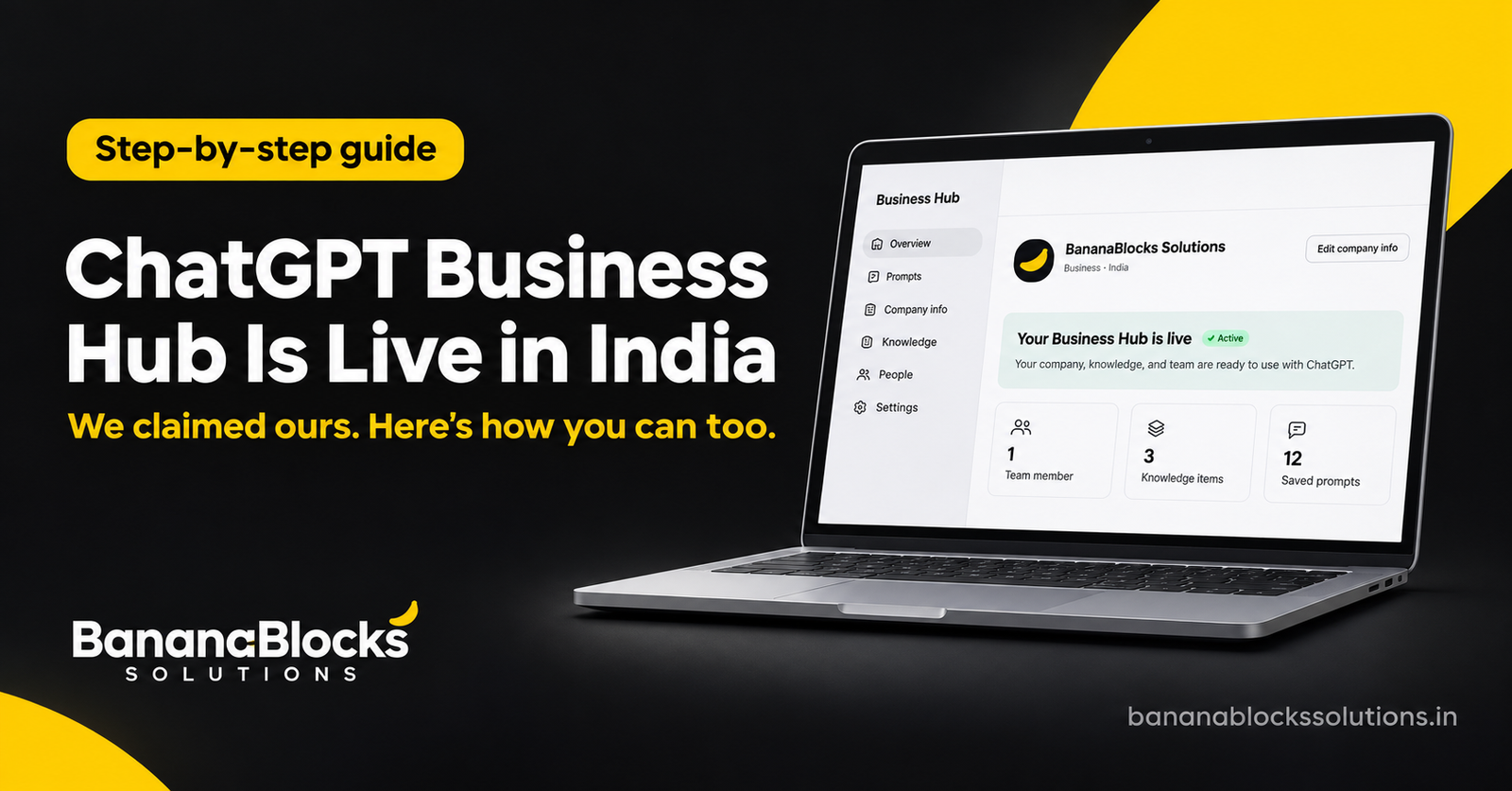
On 10 November 2026, OpenAI launched ChatGPT Business Hub, part of a new beta called Businesses in ChatGPT. It lets you claim your business, correct what ChatGPT knows about you, and see how often ChatGPT mentions you. Indian businesses can use it today.
We claimed BananaBlocks Solutions on 11 November, the day after launch, and the whole flow took about five minutes. Below is what OpenAI launched, what works in India, and the exact steps we followed so you can claim your business too.
What OpenAI launched on 10 November
Businesses in ChatGPT is OpenAI’s first official way for companies to manage how they appear in ChatGPT. OpenAI says ChatGPT has 1.2 billion weekly users, and more of them now ask it to compare products and pick services.
The launch has three parts:
- Business Hub (chatgpt.com/business-hub): you claim and verify your business, update its details, and add product feeds with prices and stock status. ChatGPT can use this information when it answers questions about you.
- Insights: a dashboard showing how often ChatGPT mentions your business, how many people click through to your website, and “discovery topics”, meaning the themes of conversations where your website is cited. OpenAI shows only aggregated numbers and never shares people’s conversations.
- Business Agents: a branded assistant that answers customer questions about your products in a clearly labelled chat. Businesses can also sponsor their agent and use it as the landing point for ChatGPT ads.
It’s worth knowing that Business Hub is not the same as “ChatGPT Business”. ChatGPT Business is OpenAI’s paid workplace plan for teams, formerly called ChatGPT Team. The Hub is free to claim, and we were not asked to pay anything.
What works in India right now
Business Hub is open to eligible businesses in every country where ChatGPT is available, India included. Business Agents are the exception: publishing one is limited to eligible ecommerce and online service businesses in the US for now.
| Feature | India | US |
|---|---|---|
| Claim and verify your business | Yes | Yes |
| Edit business details and description | Yes | Yes |
| Upload product feeds (price, availability) | Yes | Yes |
| Mentions, website clicks, discovery topics | Yes | Yes |
| Publish a Business Agent | Not yet | Eligible ecommerce and online services |
Two conditions apply: your business needs a website, and you must be able to verify that you control it. Shopify stores can verify by connecting the store. Everyone else, including WordPress and WooCommerce sites, verifies through DNS, as we did.
There was one surprise: our Indian dashboard already shows an Agent builder tab. You can set up the agent, but OpenAI hasn’t announced when Indian businesses will be able to publish one.
How to claim your business in ChatGPT: the steps we followed
Have two things ready before you start: a login to wherever your domain’s DNS is managed (GoDaddy, Hostinger, Cloudflare and so on), and the phone you want listed. We started at 11:53 AM and had a working dashboard at 11:58 AM.
Step 1: Search for your business
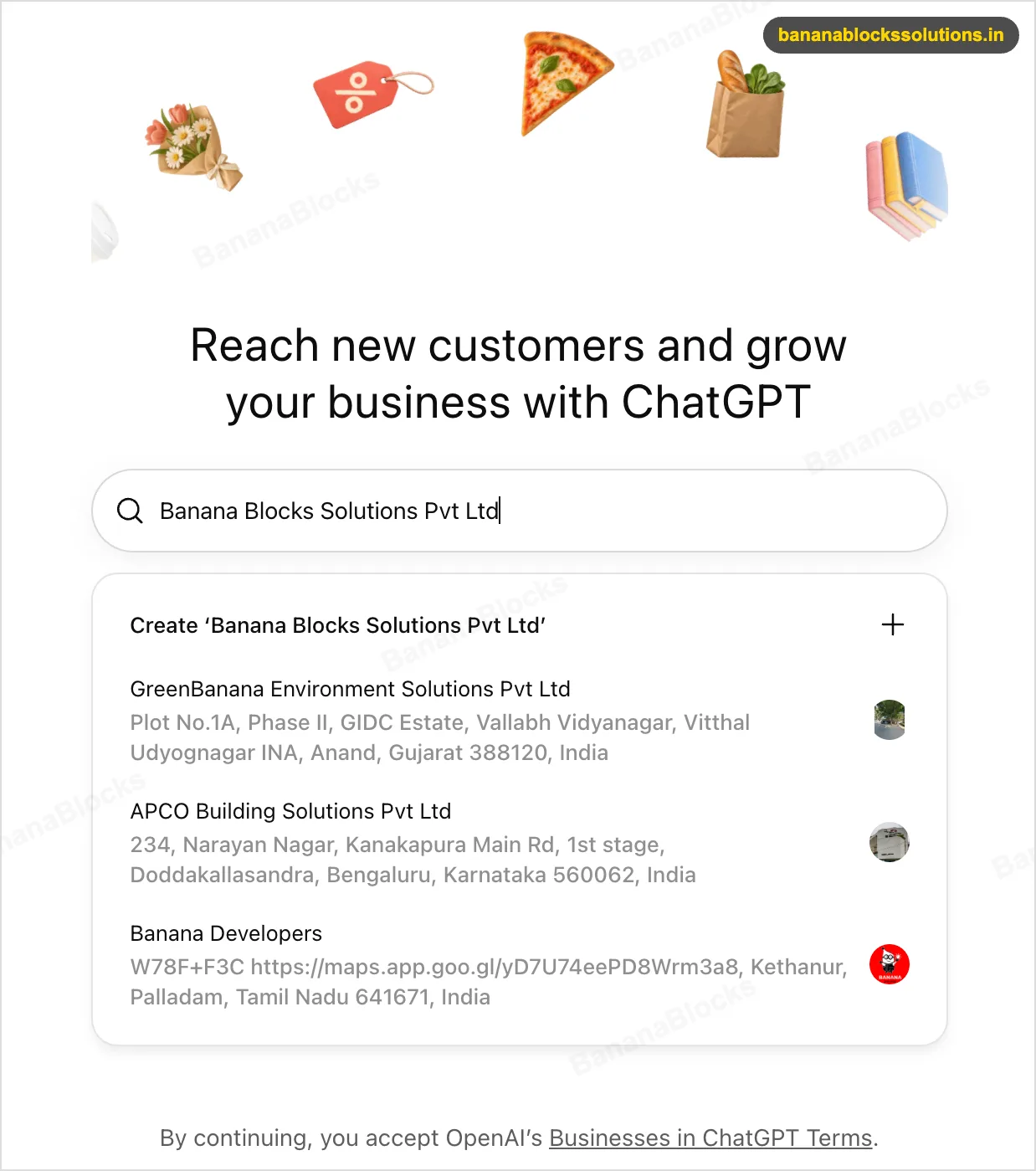
Go to chatgpt.com/business-hub and type your business name. ChatGPT shows businesses it already knows, with their addresses. If yours is listed, claim it. Ours wasn’t, so we picked Create. Continuing means you accept OpenAI’s Businesses in ChatGPT Terms, so give them a quick read.
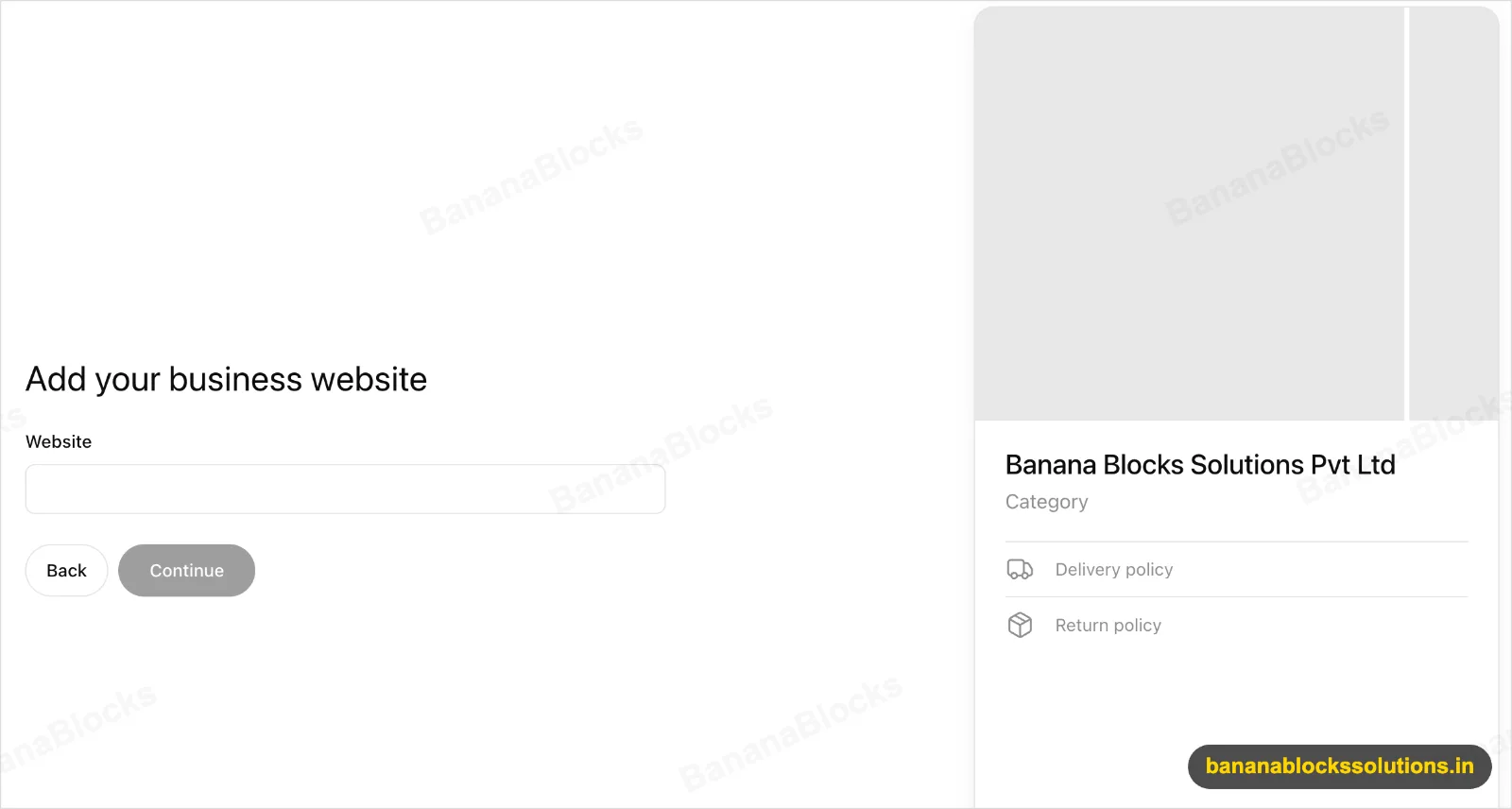
Step 2: Add your website
Enter your main domain. This is the website ChatGPT will link to and the domain you’ll verify next.
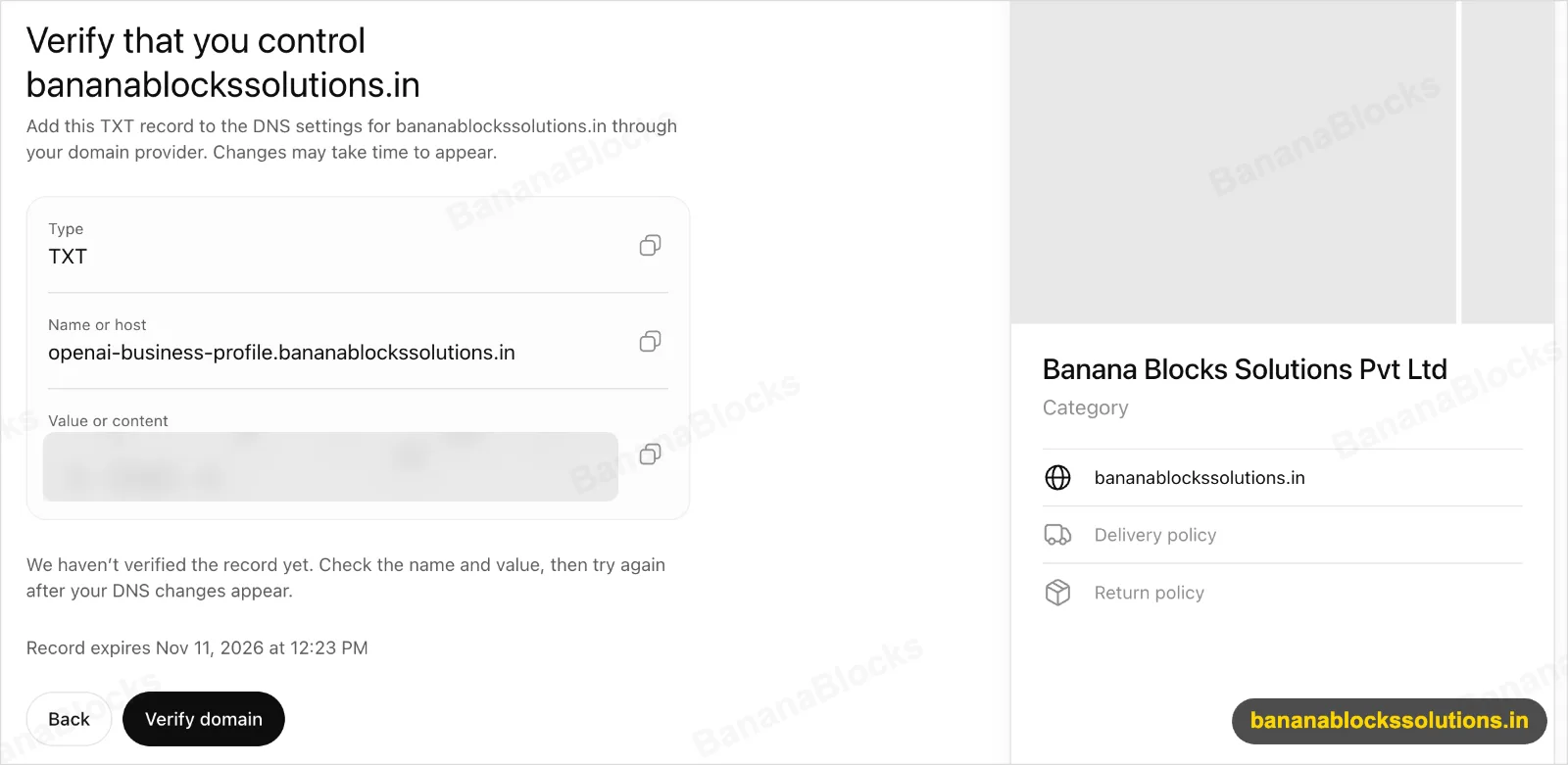
Step 3: Verify your domain with a DNS TXT record
ChatGPT gives you a TXT record with a host name that starts with openai-business-profile. and a value to paste. Add it in your DNS panel, wait a few minutes, then click Verify domain.
- The record expires about 30 minutes after it’s generated, so add it straight away.
- Our first click returned “We haven’t verified the record yet”. DNS takes a few minutes to update. Wait and try again.
- On WordPress, DNS isn’t managed inside WordPress. It sits with your domain registrar or Cloudflare.
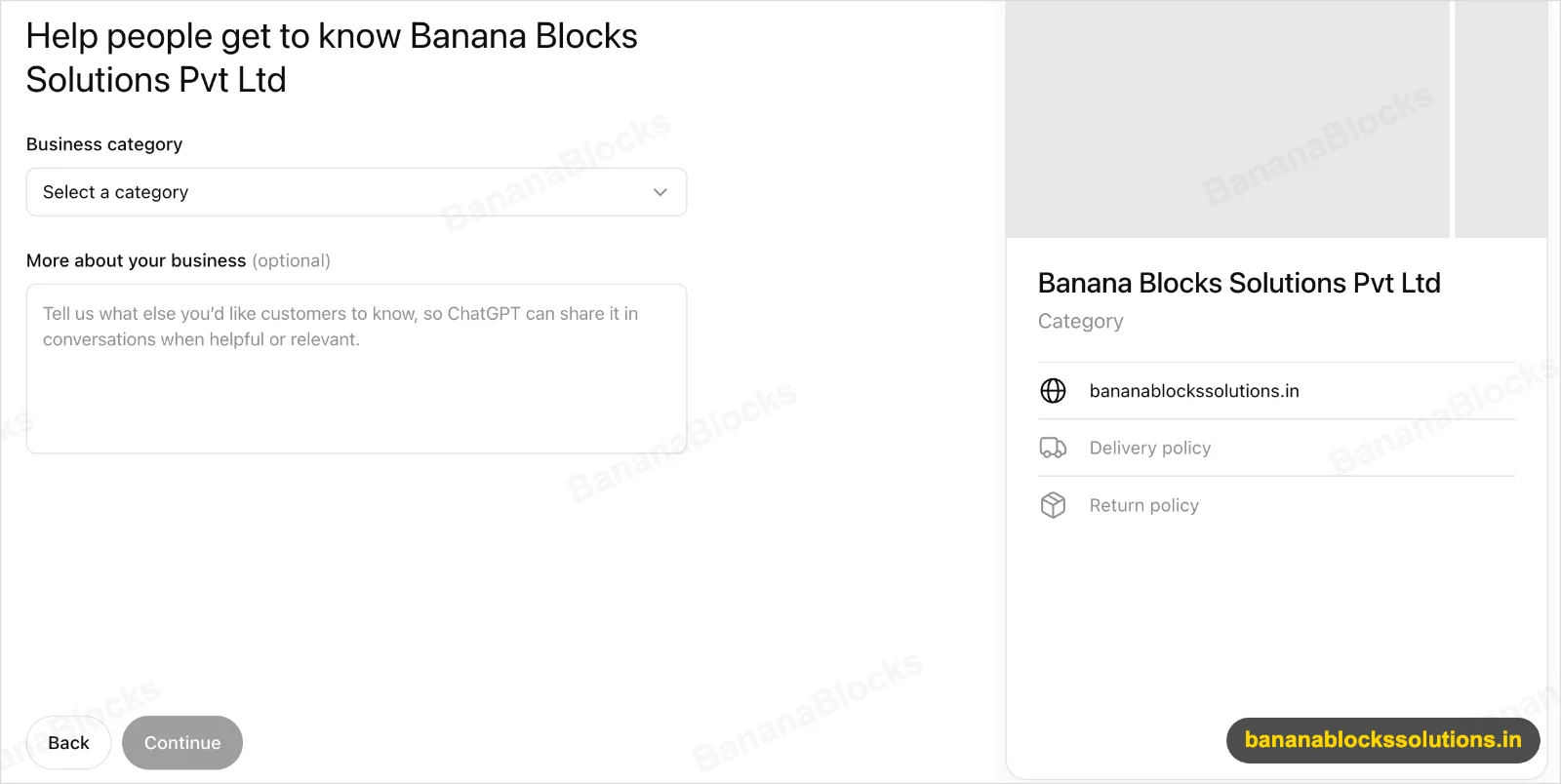
Step 4: Choose a category and describe your business
Pick the closest category (ours is Marketing agency). The description box is optional, but don’t skip it: ChatGPT can use this text in conversations. Say what you do, for whom and where, in plain sentences.
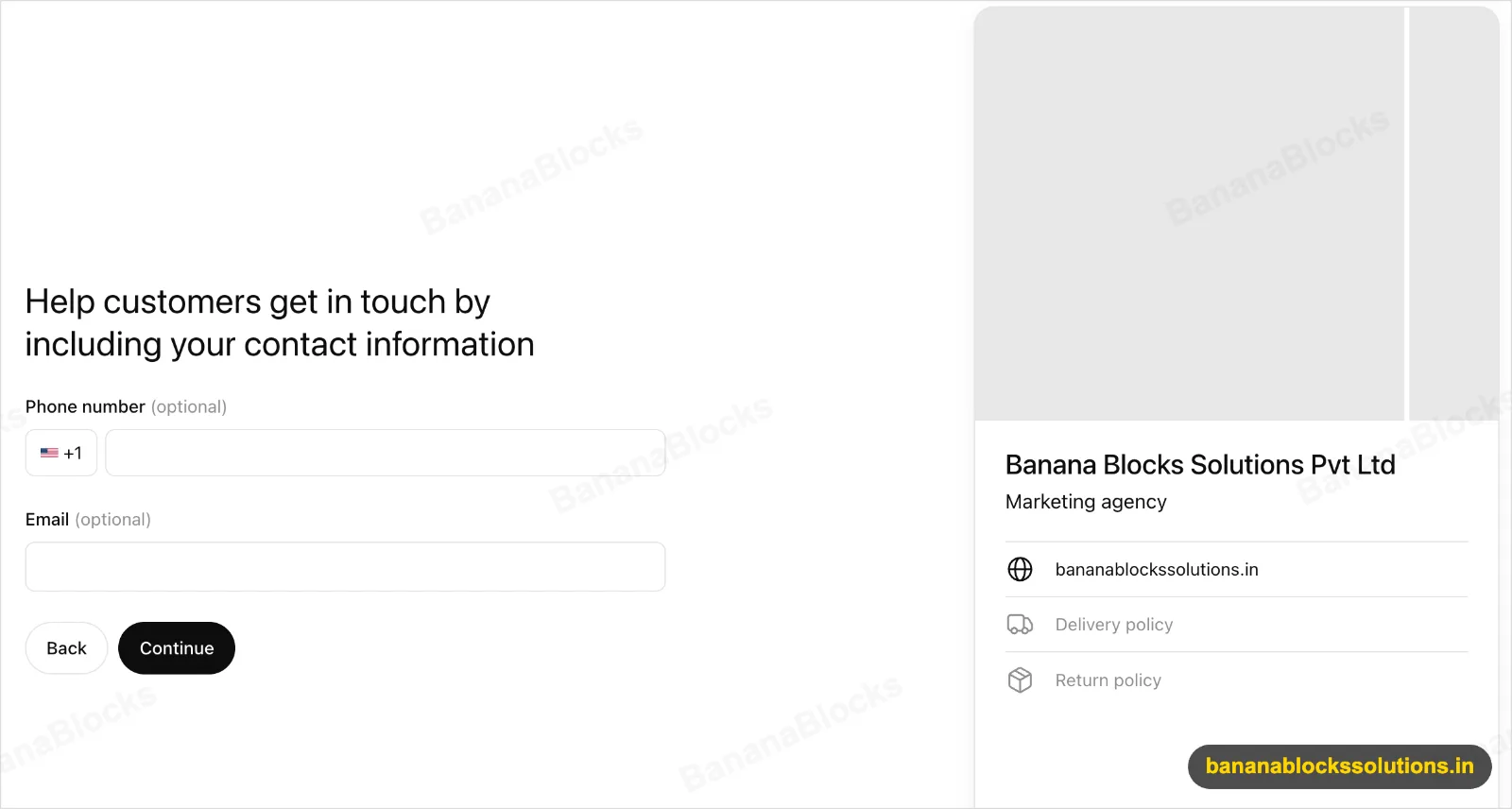
Step 5: Add your contact details
The phone field defaults to the US code (+1). Switch it to India (+91) before typing your number. Use a business email you check daily.
Step 6: Confirm your phone number
Choose to get the code by SMS or an automated call, then enter it.
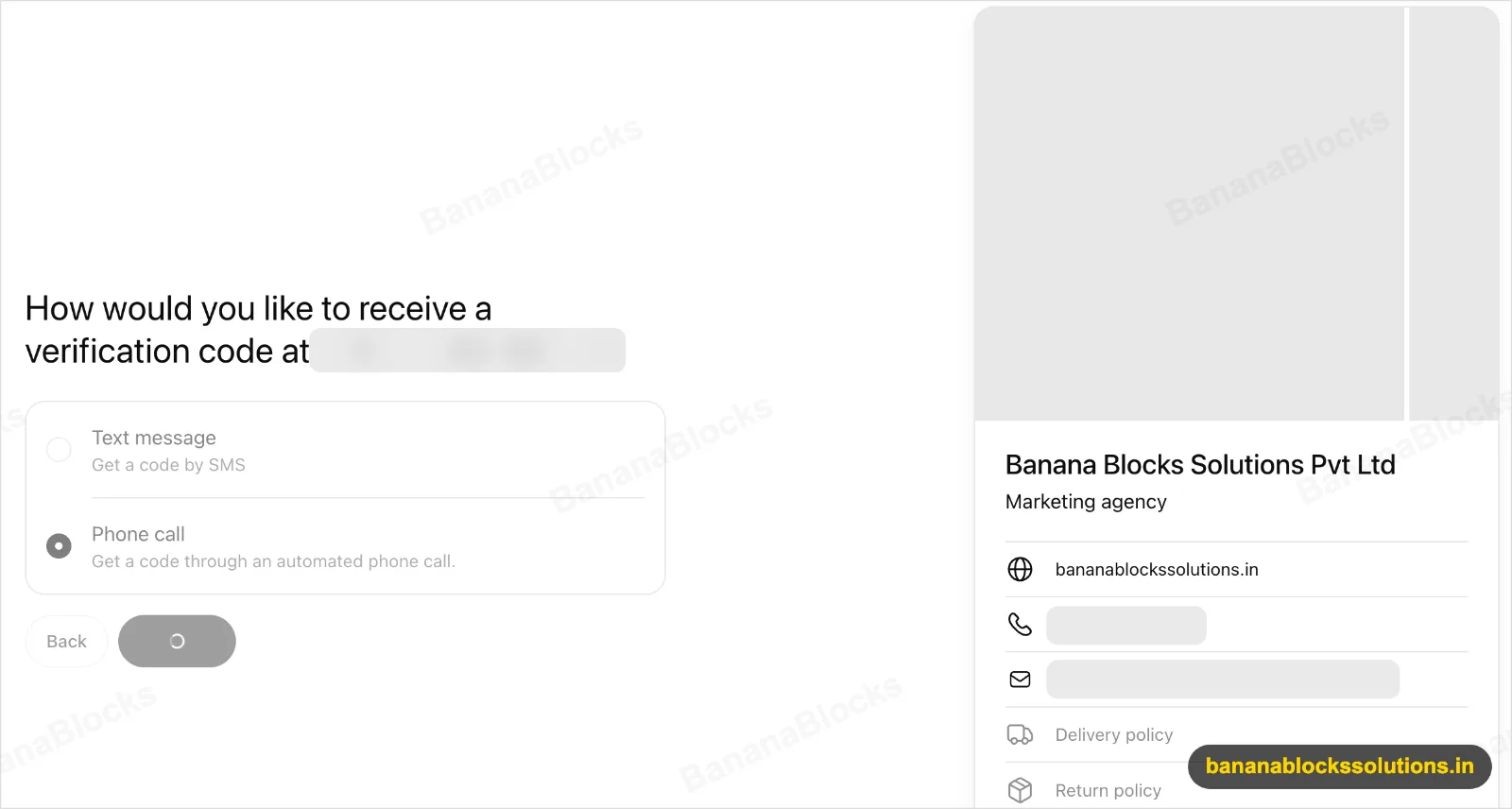
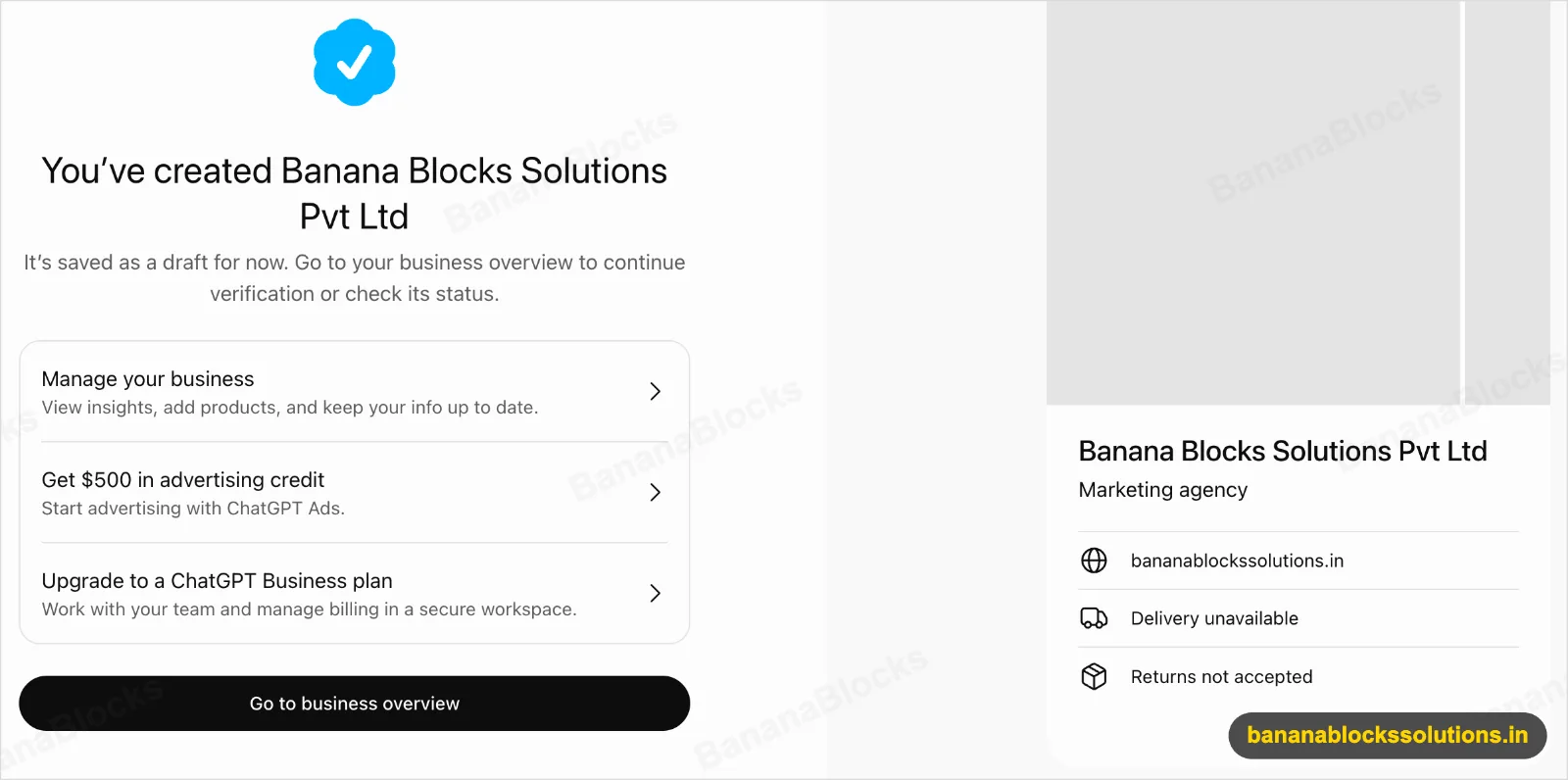
Step 7: Your profile is created as a draft
You’ll see a confirmation screen, a preview card and two offers: $500 in ChatGPT advertising credit and an upgrade to a ChatGPT Business plan. Neither is needed to claim your business. Check the preview card closely. Ours showed “Delivery unavailable” and “Returns not accepted”, which are ecommerce fields that a service business may want to adjust.
Step 8: Verify your identity
The dashboard opens in Draft status. To edit business details or publish an agent, OpenAI asks you to verify your identity with a government-issued ID. Finish this step, or your profile stays a draft.
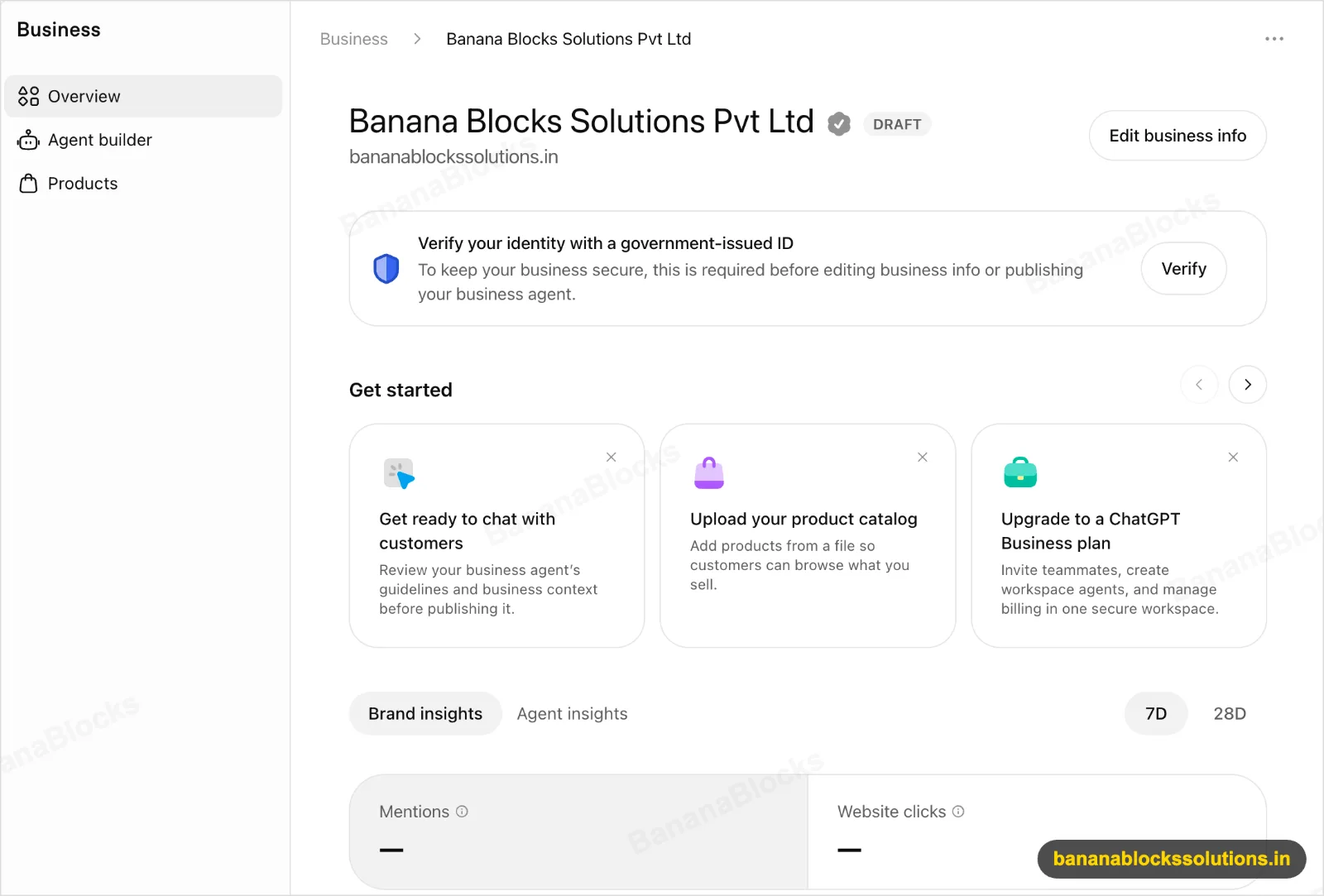
What the ChatGPT Business Hub dashboard shows and what it doesn’t
The dashboard gives you counts, not reasons. On the day we claimed BananaBlocks, both Mentions and Website clicks showed a dash. That’s expected: OpenAI only displays numbers once enough conversations have built up, so smaller businesses may wait a while for data.
| You can see | You can’t see |
|---|---|
| How often ChatGPT mentions you (7-day and 28-day views) | What people actually asked |
| Clicks from ChatGPT to your website | Full conversations or agent chats |
| Discovery topics: themes of conversations where your site is cited | How you compare with competitors |
| Agent insights, once an agent is live | Why you were or weren’t recommended |
One more limit: claiming doesn’t let you pay for or control organic recommendations. OpenAI says ChatGPT’s own answers stay independent, though accurate business details may help it place you in more of the right conversations.
In practice, treat the Hub as your official scorecard. Pair it with two other checks: GA4 referral traffic from chatgpt.com, and a fixed list of customer questions you ask ChatGPT every month to see whether you appear.
What to do this week
It’s still a beta, but it’s worth claiming early. With Google Business Profile, early claimants ended up with clean listings, and latecomers ended up fixing duplicates.
- Claim your business at chatgpt.com/business-hub using the steps above
- Complete the government ID verification so the profile leaves draft status
- Write a clear description: services, city or service area, who you work with
- Ecommerce stores: upload a product feed (Shopify connects directly; WooCommerce stores can export one)
- Keep your name, address and phone the same on your website, Google Business Profile, Justdial and IndiaMART
- Make your site easy to cite: one clear page per service, an FAQ section and schema markup
- Set a baseline: ask ChatGPT 10 questions your customers ask and note whether you appear
- In GA4, check sessions where the source is chatgpt.com, so you can compare later
FAQ
Can Indian businesses use ChatGPT Business Hub?
Yes. Business Hub is open to eligible businesses wherever ChatGPT is available, including India. Only publishing a Business Agent is limited to the US for now.
Is ChatGPT Business Hub free?
Claiming and verifying our business cost nothing. The Hub does promote paid extras, such as ChatGPT ads and the ChatGPT Business plan, but you don’t need either to claim your business.
Do I need a website?
Yes. For now, only businesses with a website can claim, and you have to verify that you control the domain.
How long does it take?
The form took us about five minutes. Allow extra time for DNS to update and for government ID verification.
Will claiming my business make ChatGPT recommend it more?
There’s no guarantee. OpenAI says organic answers stay independent. Accurate, complete details give ChatGPT better information about you, but they don’t buy placement.
Can I see what people asked ChatGPT about my business?
No. You get aggregated counts and topics only, never the prompts or conversations.
Is Business Hub the same as ChatGPT Business?
No. ChatGPT Business is OpenAI’s paid workplace subscription for teams. Business Hub is where you manage how your business appears to ChatGPT users.
Get your business ready for ChatGPT
Claiming takes five minutes. The ongoing work is being the business ChatGPT can confidently mention: clear service pages, consistent listings and content that answers real customer questions.
That’s what we do at BananaBlocks Solutions. We set up and verify your ChatGPT Business Hub profile, sort out DNS and product feeds for WordPress and WooCommerce sites, and track your AI visibility month by month. Talk to us about your ChatGPT visibility.
New to this? Start with our marketing funnel guide to see where AI search fits in how customers find you.

Written by
Andrew Akshat
Writes for the BananaBlocks team about websites, SEO and digital growth for small and growing businesses.
More on AI Marketing